Background

Search for a SteamID

Search

How to search a SteamID?


SteamID2
STEAM_0:0:11101
SteamID3
[U:1:22202]
SteamID64
76561197960287930
Custom URL
gabelogannewell
Full URL
https://steamcommunity.com/id/gabelogannewell
SteamID64 URL
https://steamcommunity.com/profiles/76561197960287930
Frequently Asked Questions


A video guide on how to find your SteamID
You can find your own SteamID by following these steps:
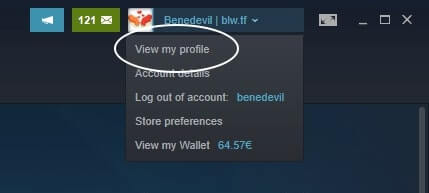
  1. Open up Steam and click on your profile picture at the top right of your screen
  2. Click 'View my profile'Instruction 1 - How to find your SteamID
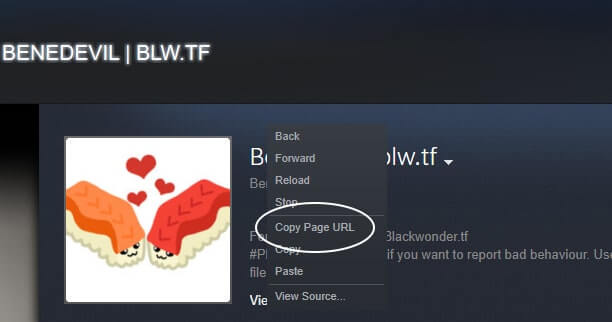
  3. Right click anywhere on the screen and press 'Copy Page URL'Instruction 2 - How to find your SteamID
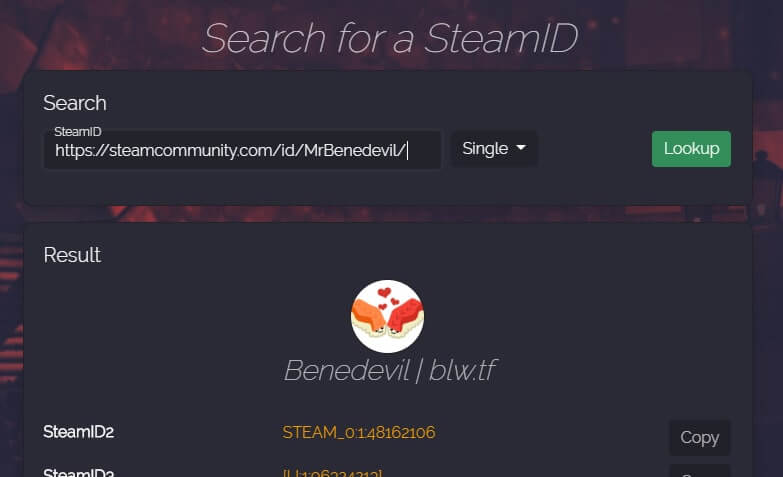
  4. Paste the copied page URL into the search bar of findsteamid.com and get all different formats of your SteamIDInstruction 3 - How to find your SteamID

A SteamID uniquely identifies a Steam account. This is useful as one can trace back any account via the SteamID, which remains static throughout the lifetime of an account.

A SteamID can have different formats such as SteamID2, SteamID3, or SteamID64.

Many server communities use SteamIDs as identification and might request these in various different formats that findsteamid.com can provide you with.

The SteamID64 (also often called Community ID) is a format of the SteamID that might look like this: 76561198056589941

In addition to uniquely identifying a Steam account, it allows Steam users to easily find a profile of a user by typing it into this URL:

https://steamcommunity.com/profiles/INSERT_STEAM64_HERE

Example: http://steamcommunity.com/profiles/76561198056589941

The SteamID Hex is a format of the SteamID that might look like this: 110000105bdca75

It is the conversion of the SteamID64 into hexadecimals and is used by a select number of games to identify a user.